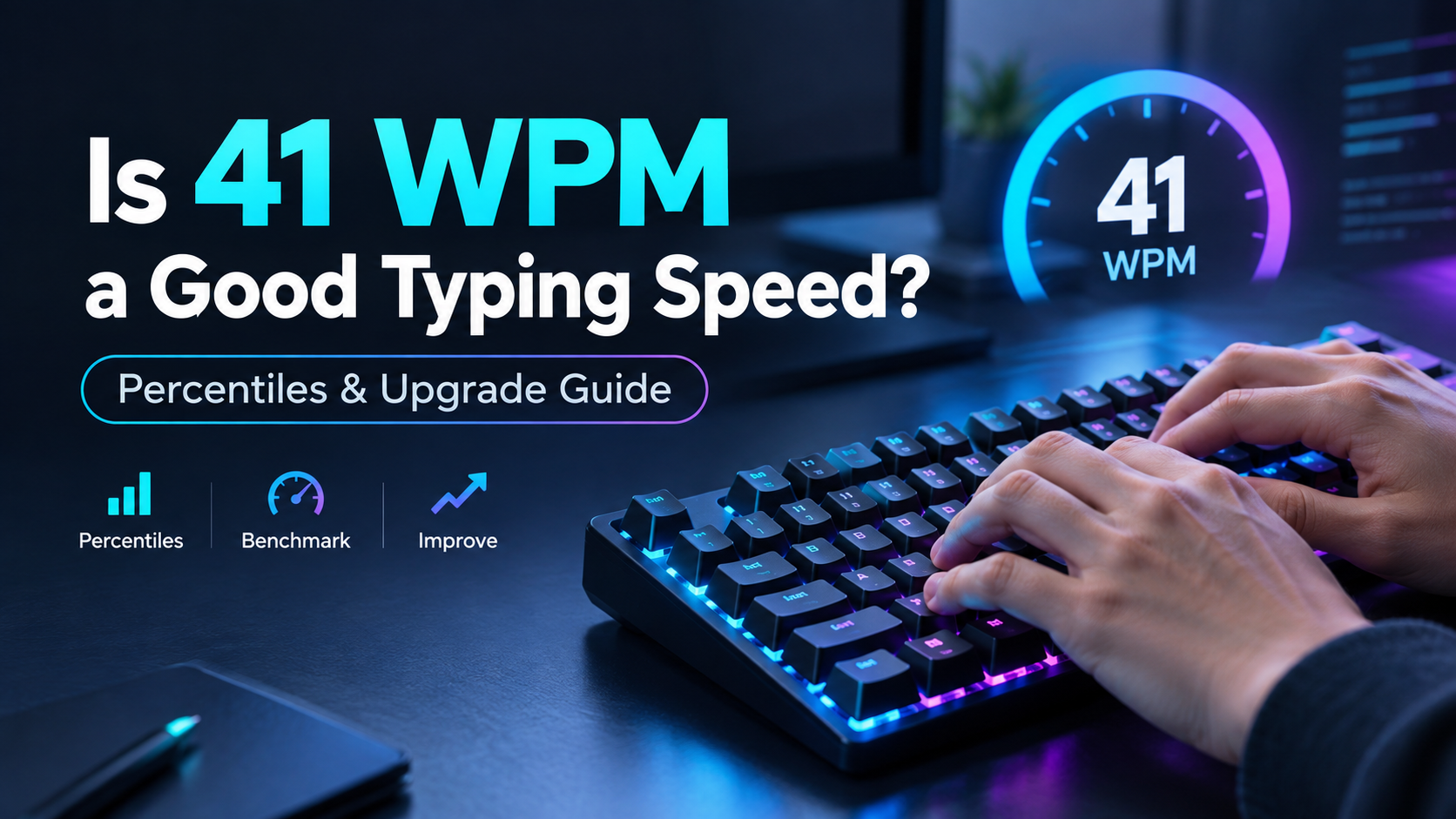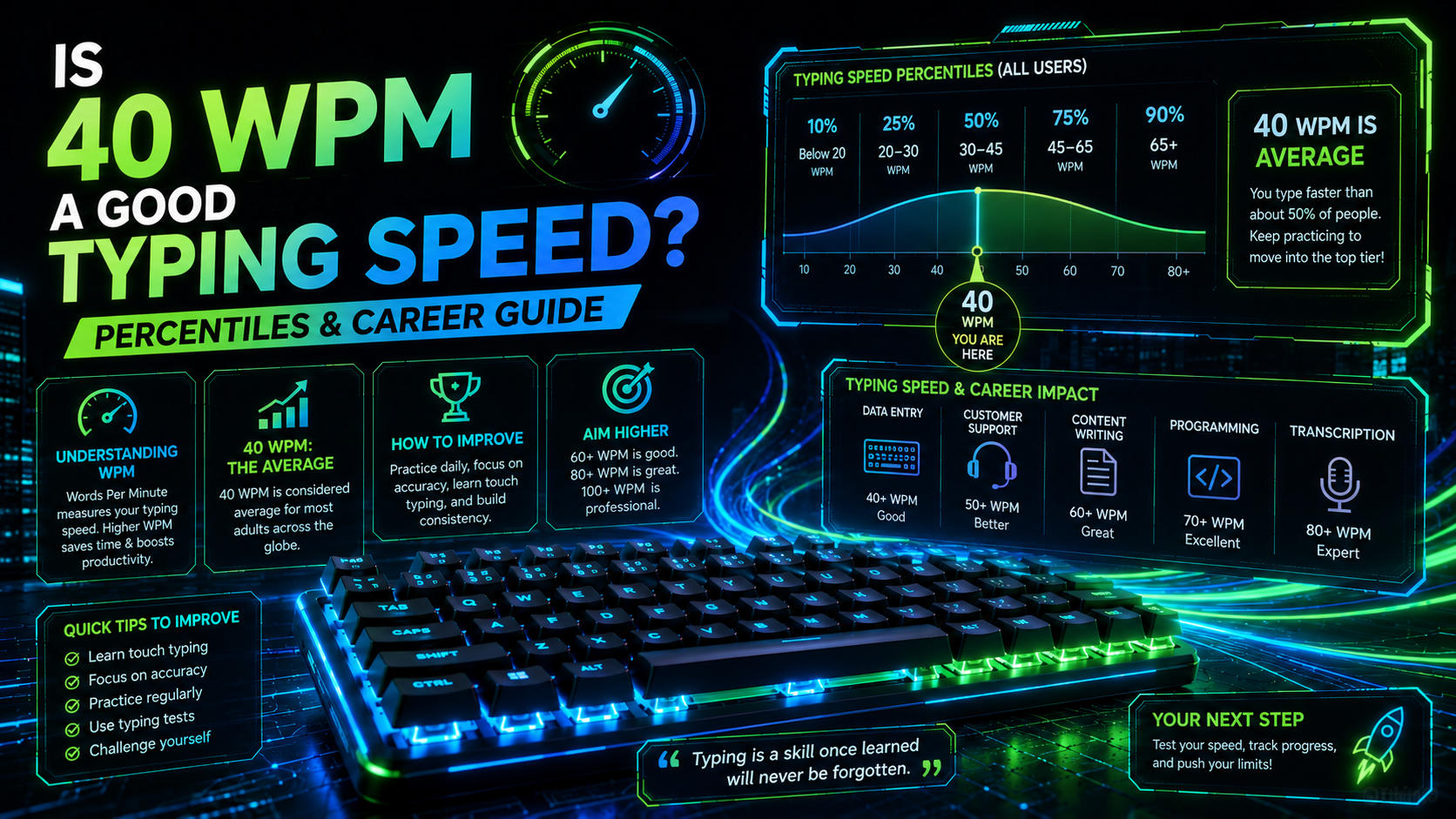
Typing speed functions as a primary data interface. When computer users ask whether is 40 wpm a good typing speed, the direct answer is yes. Scoring 40 words per minute places you directly at the global median. At this tempo, you generate roughly 200 characters per minute across the keyboard matrix during continuous typing sessions. Most casual computer users operate at this exact baseline. Professional digital workflows, on the other hand, frequently demand higher throughput to eliminate cognitive input bottlenecks during active technical tasks.
Input speed directly affects mental focus. When typing at 40 WPM, your fingers move at roughly three keystrokes per second across the home row. This rate easily suffices for writing casual emails, browsing forums, or chatting with colleagues. Drafting complex technical documentation or writing software code, on the other hand, frequently exceeds this mechanical input buffer. Thinking faster than your fingers can type causes cognitive friction. Your working memory must hold complex ideas in suspension while your hands catch up, increasing mental fatigue over long working days.
Global Percentiles: Is 40 WPM a Good Typing Speed Today?
Where does 40 WPM rank statistically? Large-scale keystroke dynamic datasets, including open benchmarks from Aalto University, reveal that 40 WPM represents the 50th percentile of the global adult population. Half of all keyboard users type slower than this mark. The other half types faster across standard alphanumeric benchmarks.
💡 Pro Tip: Assess your current baseline on our TypingPulse Speed Test using realistic prose containing full punctuation rather than simplified word lists.
Typing speed divides into clear statistical tiers across international benchmarks:
| Speed Tier (WPM) Characters / Min (CPM) Global Percentile Primary Typing Technique Typical Daily Applications | ||||
| < 25 WPM | < 125 CPM | Bottom 15% | Visual hunt-and-peck (2-4 fingers) | Basic search queries and casual web navigation |
| 25–39 WPM | 125–195 CPM | 15th–45th Percentile | Hybrid multi-finger with frequent keyboard glances | Social messaging and light email correspondence |
| 40–55 WPM | 200–275 CPM | 50th–75th Percentile (Average) | Basic touch typing or disciplined hybrid method | Standard office tasks and general administration |
| 56–75 WPM | 280–375 CPM | 75th–90th Percentile (Proficient) | Full 10-finger touch typing with muscle memory | Software development, technical writing, and blogging |
| 76–99 WPM | 380–495 CPM | 90th–98th Percentile (Advanced) | Fluid lookahead buffering and parallel finger rolls | Live transcription, journalism, and executive editing |
| 100+ WPM | 500+ CPM | Top 2% (Elite) | Automated subconscious motor chording | Competitive typing and high-speed live data logging |
Scoring 40 WPM demonstrates solid mechanical competence. You can operate any modern operating system without constant friction. However, moving beyond this median requires shedding inefficient visual habits and adopting disciplined finger assignments across all keyboard rows.
Speed carries practical physical constraints. Typists who reach 40 WPM using informal hunt-and-peck methods experience rapid forearm fatigue because two fingers perform all mechanical work. Distributing keystrokes across all ten fingers reduces local tendon strain, ensuring physical longevity during long typing sessions.
Workplace Benchmarks: Is 40 WPM a Good Typing Speed for Your Career?
Job markets enforce specific speed baselines. Whether 40 WPM satisfies an employer depends on how much text your daily role demands. Administrative jobs often set 40 WPM as their formal entry requirement. Highly specialized data roles, by comparison, treat 40 WPM as an immediate disqualifier during hiring assessments.
Consider the typical typing standards across common modern professions:
- General Office and Administration: 40 to 50 WPM represents the standard hiring baseline for general clerical duties.
- Software Engineering and DevOps: 50 to 65 WPM allows developers to write code and manipulate terminal environments without breaking flow state.
- Live Chat Customer Support: 45 to 60 WPM ensures agents can manage multiple concurrent customer chats without delay.
- Medical and Legal Transcription: 70 to 90+ WPM is strictly mandatory, accompanied by a minimum 98 percent accuracy threshold.
- Data Entry Specialists: 60 to 75 WPM ensures high-volume batch processing within target business hours.
Accuracy matters more than raw speed. A typist producing 40 Net WPM at 99 percent accuracy easily outperforms an erratic 60 WPM typist who makes errors on every sentence. Each typographical error forces a costly backspace cycle that interrupts your cognitive rhythm. In business environments, clean text saves time and prevents expensive clerical mistakes.
The time cost of poor accuracy is substantial. Fixing an error takes roughly 400 milliseconds of active recovery time. If you make five mistakes per minute at 40 WPM, you waste two full seconds of every sixty seconds worked. Over an eight-hour shift, error correction consumes over fifteen minutes of pure mechanical downtime.
The Biomechanical Anatomy of the 40 WPM Plateau
Why do thousands of typists get stuck at exactly 40 WPM? This specific threshold marks the hard physical boundary of the hybrid typing method. Typists at 40 WPM typically rely on four to six active fingers while frequently glancing down at the keyboard to verify key locations.
"The 40 WPM plateau is not a speed limit; it is a visual latency trap caused by looking down at the keyboard."
Visual verification creates latency. Shifting your eyes from screen to keyboard and back consumes 300 to 500 milliseconds per glance. This constant visual reset prevents your brain from establishing an eye-span buffer. High-speed typists look exclusively at upcoming text on screen, allowing their peripheral motor cortex to prepare keypresses three words in advance.
Subconscious motor chunking cannot develop while your eyes track your fingers. True speed relies on finger rolls for common English n-grams like "ing", "tion", and "the". When you look at the physical keys, your brain processes letters sequentially rather than executing fluid multi-character reflexes. Breaking through this bottleneck requires training on structured modules in our Typing Academy Lessons.
Transitioning away from hybrid typing involves a temporary performance drop. When you force yourself to adopt proper home row touch typing, your speed will initially collapse from 40 WPM down to 20 WPM for one to two weeks. Accepting this temporary productivity loss is necessary to rebuild proper neuromuscular pathways for long-term growth.
Hardware and Switch Mechanics: Removing Physical Resistance
Your physical keyboard influences typing efficiency. Cheap office keyboards use silicone membrane sheets that require full bottom-out travel on every keypress. Striking mushy membranes with 60 grams of force tires your fingers quickly. Quality mechanical switches, on the other hand, register input at shallow depths, saving mechanical effort across thousands of daily keystrokes.
Consider the mechanical differences across common switch technologies:
- Membrane Rubber Domes: Require four millimeters of full travel and heavy force to close electrical traces, increasing finger fatigue.
- Standard Mechanical Switches (Cherry MX): Actuate at two millimeters with 45 grams of force, allowing lighter, faster strokes.
- Hall Effect Magnetic Switches: Allow adjustable actuation depths as shallow as half a millimeter, eliminating mechanical contact bounce entirely.
💡 Pro Tip: Verify that your keyboard registers multi-key combinations cleanly without ghosting by running our free Online Keyboard Tester.
Hardware upgrades yield diminishing returns. Upgrading from a cheap membrane keyboard to a high-end mechanical board reduces physical finger strain and improves tactile feedback. However, a premium keyboard cannot correct poor finger positioning or compensate for looking at the keys. Hardware removes mechanical friction, but muscle memory creates speed.
Actionable Protocols to Upgrade from 40 WPM to 70+ WPM
Escaping the 40 WPM plateau requires deliberate, structured practice. Simply typing more emails will not increase your speed because you will continue reinforcing existing bad habits. Apply these four engineering principles to systematically optimize your throughput.
1. Commit to Strict Touch Typing (No Looking Down)
Cover your hands with a cloth or use blank keycaps if necessary. Force your brain to locate keys through tactile index finger homing bumps on F and J. Eliminating visual glances forces your nervous system to build spatial proprioception across the keyboard.
2. Prioritize Accuracy Over Velocity (The 98% Rule)
Never rush your fingers during practice sessions. Maintain a strict 98 percent accuracy threshold on every drill. When you type with near-perfect accuracy, your brain reinforces clean motor pathways. Speed naturally follows mechanical stability.
3. Expand Your Lookahead Buffer
Train your eyes to read one to two words ahead of the letters your fingers are currently striking. This lookahead buffer eliminates micro-pauses between words. Practice this continuous text streaming technique daily in our Interactive Typing Practice arena.
4. Practice in Short, Focused Daily Sessions
Neuromuscular adaptations occur during recovery between practice sessions. Fifteen minutes of focused daily practice produces far greater progress than a two-hour marathon session once a week. Consistency prevents physical fatigue and reinforces neural connections.
The Final Verdict on 40 WPM Typing
Context dictates the value of your typing speed. For everyday life and general computer use, 40 WPM is solid, functional, and dependable. For ambitious professionals, software developers, and writers seeking effortless creative flow, 40 WPM represents an intermediate milestone on the path toward 70+ WPM mastery.
Frequently Asked Questions
Key answers regarding touch typing, benchmarks, and techniques
TypingPulse
Typing & Tech Specialist
Written by typing trainers and keyboard specialists dedicated to helping students and developers achieve touch typing mastery, ergonomic comfort, and competitive WPM speeds.