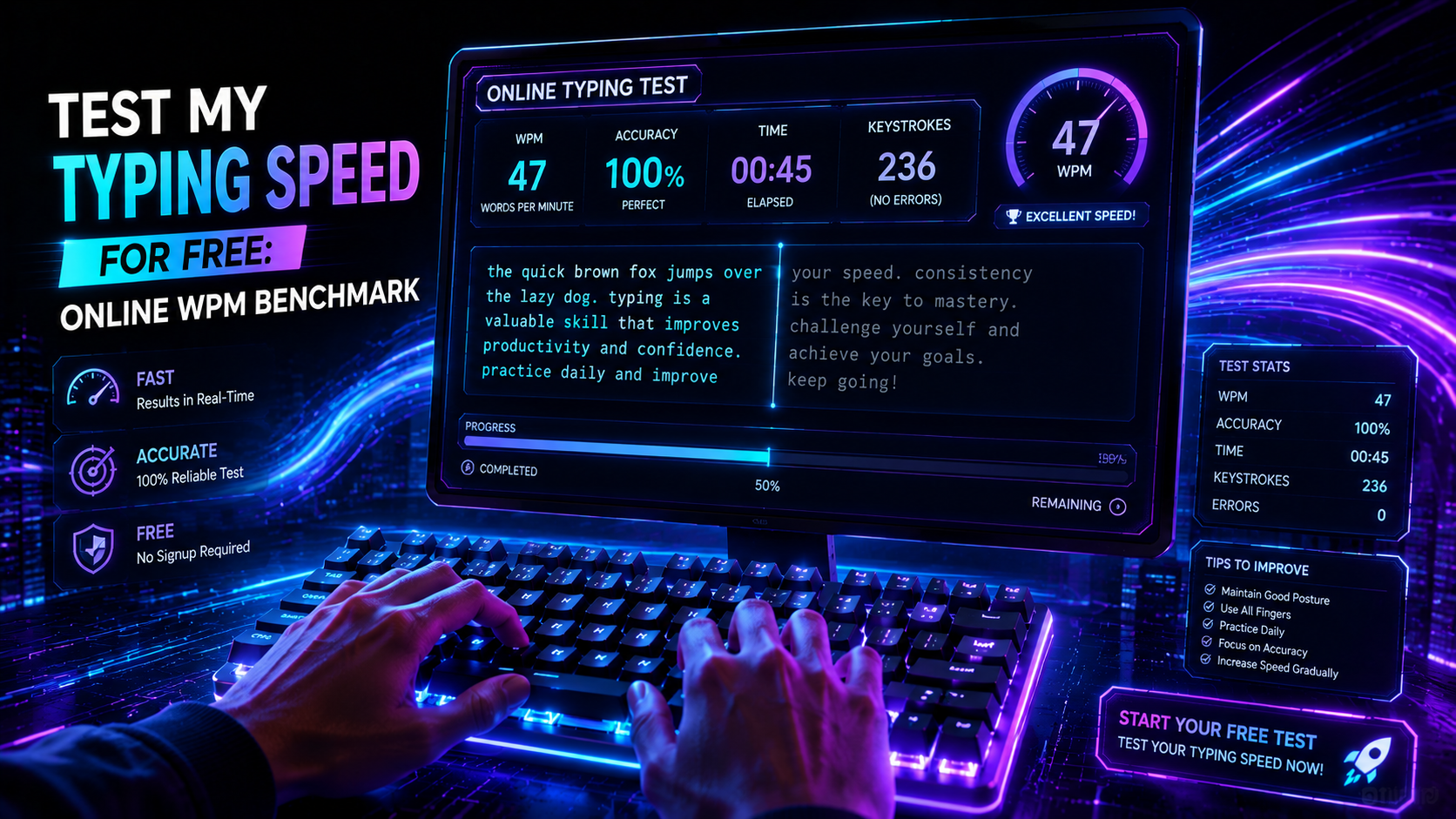
Accurate keystroke measurement requires zero friction. When developers and writers decide to test my typing speed for free, they need instant browser benchmarking without paywalls or forced account registrations. A proper speed test captures raw throughput in characters per second while monitoring input errors in real time. Standard typing speeds hover around 40 words per minute (WPM). Advanced typists, on the other hand, regularly clock 80 to 120 WPM on standard alphanumeric benchmarks. Testing reveals your baseline.
Browser speed tests vary in quality. Poorly built web testing tools introduce JavaScript event-loop lag that distorts your recorded keystroke timing. High-precision evaluation engines process keyboard events through low-latency browser listeners. Your browser captures keydown timestamps, calculates characters per minute, and renders visual feedback instantly. Inaccurate timing engines corrupt performance metrics. Choosing a modern testing engine ensures your recorded velocity matches physical finger throughput.
How Online Engines Measure Your Velocity When You Test My Typing Speed for Free
Online assessments rely on standardized mathematical formulas. Because individual words vary from two letters to over a dozen characters, counting space-separated words produces noisy data. International standards established by Intersteno define one normalized word as exactly five keystrokes, including letters, punctuation marks, and spaces.
💡 Pro Tip: Launch the TypingPulse Speed Test to measure your live Net WPM across standard 60-second or custom endurance intervals with zero advertisements.
Modern browser engines evaluate two distinct metrics: Gross WPM and Net WPM. Gross WPM tracks total raw keypresses across the keyboard matrix. Net WPM subtracts penalties for uncorrected typographical mistakes.
Gross WPM = (Total Keystrokes / 5) / Time (Minutes)
Net WPM = Gross WPM - (Uncorrected Errors / Time in Minutes)
Accuracy (%) = (Correct Keystrokes / Total Keystrokes) * 100
Consider a 60-second benchmark run. Striking 350 keys in one minute yields a gross speed of 70 WPM. Five uncorrected errors lower your net output to 65 WPM. Live-correction modes penalize errors directly through lost time spent backspacing. That brief pause drops your overall throughput significantly.
Error recovery costs valuable time. Striking backspace and retyping intended characters consumes 300 to 500 milliseconds. Six mistakes during a sprint can erase three full seconds of typing time. Maintaining steady accuracy preserves forward velocity far better than reckless speed bursts.
Why You Should Test My Typing Speed for Free on Open Web Platforms
Free testing platforms should prioritize user privacy and client-side execution. Legacy testing websites frequently force users to create accounts, watch intrusive video ads, or install tracking cookies before displaying scores. In contrast, modern open-web benchmark tools run entirely within client-side WebAssembly or JavaScript engines.
Client-side execution provides distinct technical advantages:
- Zero Data Harvesting: Your typed text and keystroke timings stay inside your local browser memory without transmitting private logs to remote servers.
- Sub-Millisecond Event Processing: Browser-native KeyboardEvent listeners process keypresses immediately without network round-trip latency.
- Custom Test Modes: Instant switching between simple word lists, complex prose, programming syntax, and timed endurance intervals.
- Detailed Diagnostics: Real-time heatmaps highlight sluggish finger transitions and same-finger bigram bottlenecks across your keyboard layout.
Free testing tools provide accessible skill assessment. Anyone with an internet connection can benchmark their keyboard mechanics without commercial software subscriptions. However, testing without structured follow-up practice rarely produces long-term speed gains. You must translate diagnostic data into targeted training sessions.
Unstructured testing creates bad habits. Taking repeated speed tests without correcting foundational finger assignments simply reinforces flawed muscle memory. Real improvement demands deliberate practice between benchmark tests.
Benchmarking Tiers: Interpreting Your Free Test Results
What does your test score reveal about your typing proficiency? Millions of public typing sessions across global benchmarking engines establish clear statistical percentiles. Compare your results against these established tiers to determine where your mechanical throughput stands today.
| Speed Range (WPM) Keystrokes / Min (CPM) Global Percentile Mechanical Proficiency Target Training Focus | ||||
| < 30 WPM | < 150 CPM | Bottom 20% | Visual hunt-and-peck typing | Home row finger positioning and blind key locating |
| 30–45 WPM | 150–225 CPM | 20th–55th Percentile | Basic multi-finger hybrid typing | Eliminating visual glances down at the keyboard |
| 46–65 WPM | 230–325 CPM | 55th–80th Percentile | Standard touch typing with solid accuracy | Developing fluid multi-character n-gram rolls |
| 66–85 WPM | 330–425 CPM | 80th–93rd Percentile | Advanced muscle memory and visual lookahead | Punctuation speed and same-finger bigram reduction |
| 86–110 WPM | 430–550 CPM | 93rd–99th Percentile | High-velocity parallel motor planning | Hardware latency reduction and switch calibration |
| 110+ WPM | 550+ CPM | Top 1% (Elite) | Subconscious chording and motor streaming | Endurance maintenance and ergonomic recovery |
Text difficulty changes test outcomes. Scoring 90 WPM on a simple 200-word vocabulary test does not guarantee 90 WPM on legal briefs or code files. Complex symbols and capital letters drop raw speed by 15 to 25 percent. Realistic benchmarks provide honest evaluations of real-world typing bandwidth.
Speed testing carries physical limitations. Sprinting through repetitive tests without rest causes tendon fatigue in your wrists and forearms. Typists should limit high-intensity testing bursts to short ten-minute blocks with active stretching breaks.
Browser and Hardware Bottlenecks During Free Speed Tests
Software and hardware friction can distort your typing test scores. Input lag between your physical keypress and the browser rendering cycle adds artificial delays to your score. Identifying technical bottlenecks ensures your test reflects true human capability.
"A high-precision typing test must capture physical switch events without browser micro-stutters or USB polling delays."
Input latency stems from four primary components:
- USB Polling Rate: Low-cost office keyboards poll at 125 Hz (8ms delay), while gaming keyboards poll at 1000 Hz (1ms delay).
- Switch Debounce Time: Mechanical contact leaves require 5 to 15 milliseconds of firmware debounce filtering to prevent key chatter.
- Browser Main Thread Congestion: Heavy background browser tabs can delay JavaScript input event dispatching by several milliseconds.
- Display Refresh Latency: Standard 60 Hz monitors update every 16.6 milliseconds, while 144 Hz displays render input updates in 6.9 milliseconds.
Switch mechanics influence physical actuation speed. Cheap membrane keyboards require four millimeters of full downward travel to close rubber dome contacts. Modern mechanical and Hall Effect magnetic switches actuate at depths as shallow as 0.4 millimeters. Shorter pre-travel reduces physical finger travel across a long test, preserving muscle stamina.
💡 Pro Tip: Verify that your keyboard registers rapid key combinations without ghosting or dropped strokes using our free Online Keyboard Tester.
Hardware upgrades offer practical advantages. A responsive mechanical keyboard provides crisp tactile feedback and reduces finger bottom-out impact. However, expensive hardware cannot replace disciplined muscle memory. Physical practice remains the primary driver of typing velocity.
How to Turn Your Free Test Results into Higher WPM
Testing your speed is only the first step. Translating your benchmark score into real productivity gains requires structured, deliberate practice. Apply these engineering protocols to systematically increase your throughput.
1. Diagnose Your Weak Character Bigrams
Analyze your test error logs to identify recurring typo patterns. Awkward bigrams like "br", "za", or "my" often cause subconscious hesitation during rapid typing. Isolate these specific character pairings in targeted drill sessions inside our Typing Academy Lessons to rebuild clean muscle memory.
2. Lock In a 98% Accuracy Floor
Speed without accuracy creates productivity loss. Drop your typing speed by 15 percent until you can complete full 60-second runs with near-zero mistakes. Once clean execution becomes effortless at lower tempos, your nervous system naturally scales up velocity without erratic stalls.
3. Expand Your Visual Lookahead Buffer
Stop looking at the letter your fingers are currently striking. Train your eyes to read three to four words ahead on screen while your hands execute pre-buffered motor programs. Expanding this visual buffer eliminates micro-pauses between words. Practice this continuous streaming technique daily in our Interactive Typing Practice arena.
4. Maintain Ergonomic Floating Wrists
Resting wrists flat on desk surfaces compresses sensitive carpal tunnels and limits lateral finger reach. Raise your wrists slightly above the keycaps so your forearms float parallel to the floor. This floating posture allows larger arm muscles to assist key reaches, reducing finger fatigue during endurance tests.
Summary: Ready to Benchmark Your Typing Speed?
Taking an online speed assessment gives you an objective baseline of your mechanical input throughput. Track your net WPM, analyze your keystroke error patterns, and eliminate latency bottlenecks from your hardware setup. With structured practice and disciplined accuracy, breaking through your current speed ceiling becomes a repeatable engineering milestone.
Frequently Asked Questions
Key answers regarding touch typing, benchmarks, and techniques
TypingPulse
Typing & Tech Specialist
Written by typing trainers and keyboard specialists dedicated to helping students and developers achieve touch typing mastery, ergonomic comfort, and competitive WPM speeds.