When evaluating keyboard proficiency, understanding what is considered a good typing speed serves as the baseline for your digital productivity. Most adults type at an average pace of roughly 40 words per minute (WPM). However, achieving 55 to 70 WPM places you firmly in the proficient bracket for modern knowledge workers. Raw speed alone tells an incomplete story. High speed paired with frequent errors destroys throughput.
Typing throughput represents a balance between raw finger velocity and cognitive error suppression. If you hit 80 WPM but commit five typos per paragraph, your net output collapses beneath the constant friction of the backspace key. In this comprehensive guide, we dissect speed percentiles, job requirements, neuromuscular constraints, and mechanical switch physics so you can evaluate exactly where your performance ranks.
Baseline Benchmarks: What Is Considered a Good Typing Speed?
Speed tiers vary based on testing conditions and keyboard layouts. Across uncurated population samples, the median adult typing speed hovers near 41 WPM. For technical writers, software engineers, and administrative staff, reaching 60 to 75 WPM represents the sweet spot of efficiency. Beyond this range, cognitive ideation—not finger dexterity—becomes the primary bottleneck in daily work.
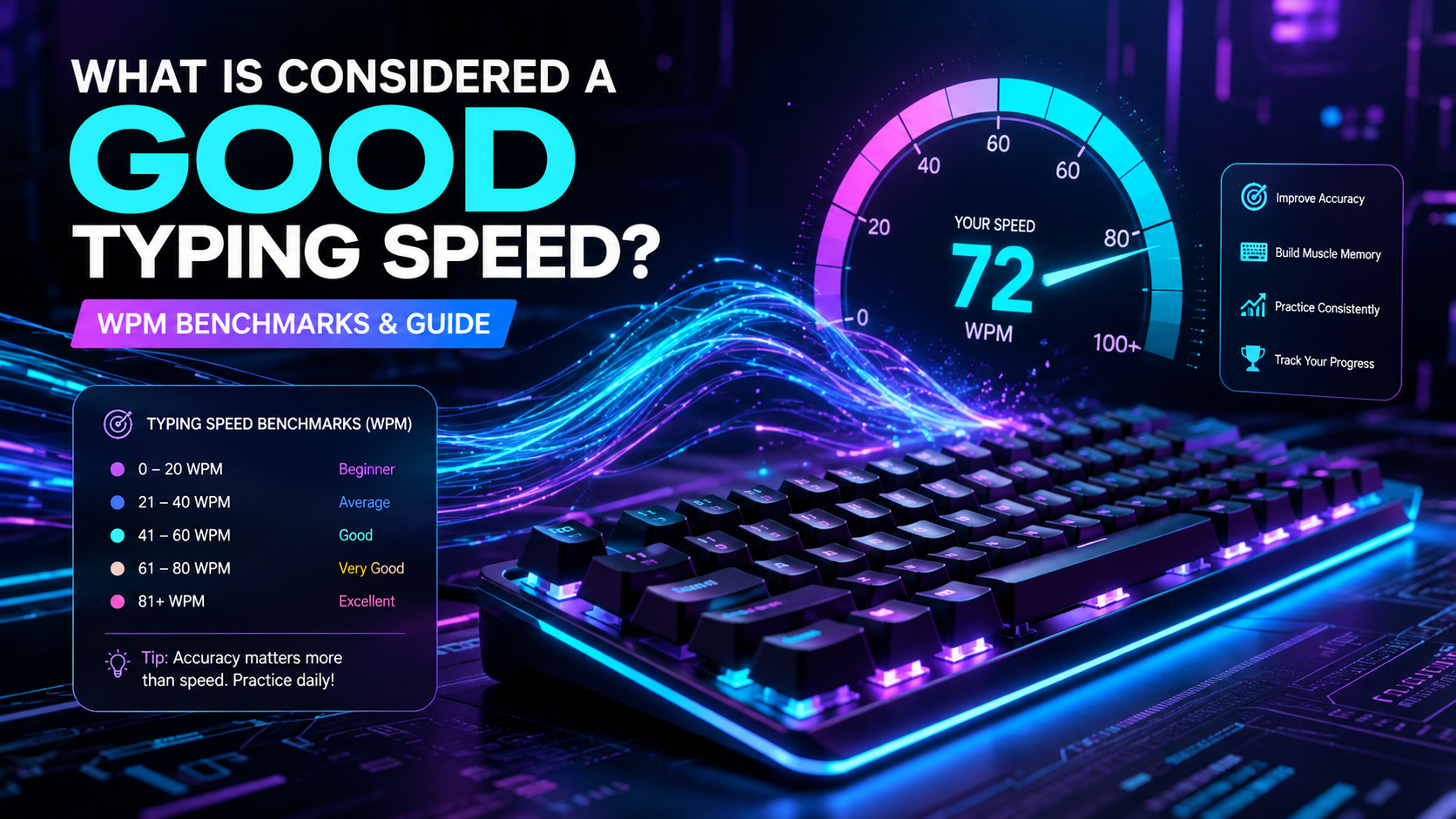
The table below summarizes standard performance bands based on aggregated typing test distributions:
| Typing Tier WPM Range Percentile Rank Keystrokes / Min (CPM) Practical Capability | ||||
| Beginner / Hunt & Peck | 0 – 29 WPM | Bottom 20% | 0 – 145 CPM | Basic email drafting; heavy visual search required. |
| Average | 30 – 49 WPM | 21st – 55th | 150 – 245 CPM | Standard conversational typing; functional for casual tasks. |
| Proficient / Good | 50 – 69 WPM | 56th – 84th | 250 – 345 CPM | Fluid documentation; meets standard corporate requirements. |
| Advanced / High Performance | 70 – 99 WPM | 85th – 98th | 350 – 495 CPM | Real-time transcription; zero physical output latency. |
| Elite / Competitive | 100+ WPM | Top 1% – 2% | 500+ CPM | Competitive esports typing; specialized mechanical setups. |
To establish your current baseline under standardized conditions, run a three-minute test on the TypingPulse Speed Test before changing your habits. Short thirty-second bursts often inflate your apparent score by 15% to 20% compared to sustained text generation.
💡 Pro Tip: Always assess your typing speed using prose with punctuation and numbers rather than simplified word lists. Punctuation tests reflect real-world writing latency and expose weak finger coordination on shift layers.
The Mathematics of WPM: Gross vs. Net Speed
Typing metrics rely on a standardized unit of measure. In international typing standards, one "word" equals exactly five keystrokes, including spaces, punctuation marks, and capital shift triggers. If you type 250 characters in 60 seconds, your gross speed is precisely 50 WPM.
Gross speed measures raw mechanical activity. Net speed measures clean, usable output. The mathematical divergence between the two metrics exposes why accuracy is vital:
Gross WPM = (Total Keystrokes / 5) / Time in Minutes
Net WPM   = Gross WPM - (Uncorrected Errors / Time in Minutes)

Backspace Overhead Cost = Error Detection Latency (~200ms)
                        + (2 * Backspace Keystrokes)
                        + Re-typing Latency
Every corrected typo costs roughly three to four times the time of an initial keystroke. You must spot the mistake, halt forward motor momentum, strike backspace repeatedly, and re-enter the characters. When you ask what is considered a good typing speed, remember that 60 WPM at 99% accuracy produces higher finished volume than 80 WPM at 90% accuracy.
"A high gross speed masked by a high error rate is simply fast-motion waste generation. Speed without positional control creates cognitive fatigue."
Job Profiles: What Is Considered a Good Typing Speed by Industry?
Different professional environments impose distinct physical demands on keyboard input. A software engineer writing terse code faces different constraints than a legal court reporter capturing spoken testimony verbatim.
1. Software Engineering and Technical Writing
For developers, 50 to 65 WPM is considered completely sufficient. Programming output is rarely limited by finger transit speed. Instead, time is spent evaluating syntax trees, reviewing documentation, and selecting variable names. However, low typing speed increases context-switching overhead when writing extensive technical documentation or commit histories.
2. Executive Administration and Data Entry
Data entry specialists require 60 to 75 WPM, coupled with a mandatory accuracy floor of 98%. In financial and medical record management, transposed digits cause compliance failures and system corruption. Accuracy cannot be traded for speed in these domains.
3. Live Transcription and Court Reporting
Standard QWERTY keyboards hit physical ergonomic limits around 90 to 110 WPM for sustained live audio transcription. Spoken English ranges from 130 to 180 words per minute. For this reason, professional court reporters abandon standard key layouts in favor of stenotype machines. Stenography utilizes phonetic chorded inputs, allowing operators to achieve speeds between 200 and 260 WPM with minimal wrist excursion.
If you want to practice structured drills tailored for corporate accuracy, work through the modules in our Typing Academy Lessons.
Keystroke Dynamics: What the Engineering Data Shows
In a landmark optical motion capture study by Feit et al. (CHI 2016), researchers at Aalto University recorded finger kinematics across 168,000 participants. The findings upended several traditional assumptions regarding input velocity:
- Self-Taught Parity: Self-taught typists using 6 to 8 fingers frequently matched 10-finger touch typists up to roughly 65 WPM.
- Gaze Fixation: The primary differentiator for elite performance was visual gaze control. Fast typists kept their eyes glued to the screen or source document, eliminating the 300ms visual search cost of glancing down at the keyboard deck.
- Hand Movement Economy: Faster typists moved their hands less. They relied on micro-finger extensions rather than whole-wrist excursions across the chassis.
While non-standard typing systems can reach moderate speeds, they carry practical tradeoffs. Irregular finger assignments cause asymmetrical tendon loading, increasing long-term repetitive strain injury (RSI) risks during prolonged eight-hour workdays.
Hardware Bottlenecks: Switches, Polling Rates, and Key Rollover
Your hardware platform sets the physical boundary conditions for your input latency. While buying an expensive keyboard will not magically transform a 40 WPM typist into an 80 WPM typist, inferior hardware introduces subtle timing artifacts and missed actuations.
Switch Actuation and Reset Physics
Standard membrane keyboards require complete bottom-out contact against a rubber dome to register a keystroke, requiring 55 to 65 grams of force across a 4.0mm travel distance. Mechanical switches, such as traditional Cherry MX Reds or Browns, actuate halfway through the stroke at approximately 2.0mm. This halves the required finger travel per stroke.
Modern Hall Effect (HE) magnetic switches allow dynamic actuation points adjustable from 0.1mm to 4.0mm. Combined with Rapid Trigger firmware, the switch resets the exact millisecond your finger begins upward travel. While Rapid Trigger provides substantial advantages in competitive gaming, setting actuation distances too shallow (e.g., 0.2mm) in typing tests causes accidental ghost strikes from rested fingertips.
Polling Latency and Matrix Scanning
A standard office keyboard scans its switch matrix at 125 Hz, introducing up to 8 milliseconds of input latency. High-end typing boards operate at 1000 Hz (1ms delay). Some competitive models operate at 8000 Hz (0.125ms delay). For human typing speeds below 150 WPM, polling rates above 1000 Hz provide negligible real-world benefits while marginally increasing CPU interrupt overhead.
Verify whether your current keyboard exhibits ghosting or stuck switches using our diagnostic Online Keyboard Tester before diagnosing motor technique issues.
The Cognitive Ceiling and The Error Penalty Curve
Human typing relies on a continuous sensory-motor feedback loop. Your brain reads upcoming text into a short-term buffer, translates syllables into muscle motor programs, executes ballistic finger strikes, and verifies tactile actuation feedback.
When you attempt to type beyond your current neurological buffer speed, two failure modes occur:
- Transposition Errors: The motor command for a dominant finger fires before the non-dominant finger completes its travel (e.g., typing "teh" instead of "the").
- Cognitive Freeze: When an unexpected error occurs, the brain halts execution across all fingers for 150ms to 250ms while evaluating the red underline or incorrect glyph.
💡 Pro Tip: When practicing on unfamiliar text, deliberately drop your speed by 10 WPM below your maximum threshold. Maintain a strict 98% accuracy baseline for five consecutive days. This trains stable bigram muscle memory and prevents error habituation.
Systematic Progression: Moving from 40 WPM to 80+ WPM
Advancing your typing speed requires structured deliberate practice rather than passive, repetitive typing. Simply sending workplace emails will not push your speed past your established comfort plateau.
Follow this engineering progression to upgrade your baseline:
- Phase 1: Lock the Home Row Anchor (Weeks 1–2): Enforce strict finger-to-key discipline. Never look at the keyboard deck. Build spatial confidence on the F and J tactile homing bumps.
- Phase 2: Bigram and Trigram Chunking (Weeks 3–4): Stop reading individual letters. Train your motor cortex to execute common letter pairs ("th", "er", "on", "in") as single fluid neuromuscular bursts.
- Phase 3: High-Frequency Word Mastery (Weeks 5–6): Drill the top 200 most common English words. These words constitute over 50% of typical written correspondence.
- Phase 4: Burst and Endurance Training (Weeks 7+): Alternate between 15-second high-speed sprint drills and 5-minute endurance runs to build stamina without physical strain.
Track your daily consistency and analyze your specific weak finger pairings in our dedicated Interactive Typing Practice arena.
Summary: Evaluating Your Personal Benchmark
Determining what is considered a good typing speed depends entirely on your operational goals. For everyday corporate workflows, maintaining 55 to 65 WPM with 97%+ accuracy eliminates physical friction between thought and text. Pushing toward 90 to 100+ WPM delivers diminishing returns for general productivity, though it offers undeniable advantages in high-volume transcription and live communication.
Focus first on rhythmic consistency, ergonomic hand positioning, and pristine accuracy. Speed naturally follows once finger hesitation is completely removed from your cognitive loop.
Frequently Asked Questions
Key answers regarding touch typing, benchmarks, and techniques
Wahab Wahab
Typing & Tech Specialist
Written by typing trainers and keyboard specialists dedicated to helping students and developers achieve touch typing mastery, ergonomic comfort, and competitive WPM speeds.